An XML sitemap is one of the most important technical SEO files for any website. It helps search engines like Google discover and understand the pages on your site, making it easier for them to crawl and index your content.
NiveDigital Academy is a leading digital marketing training institute in Nigeria. Learn practical digital marketing skills, master SEO, social media marketing, Google Ads, content marketing, and more — and build the skills you need to grow a business, get clients, or start a career in digital marketing.
If you’re running a business website, blog, eCommerce store, or portfolio, having an XML sitemap can improve your website’s visibility in search engine results. In this guide, you’ll learn what an XML sitemap is, why it’s important, how it works, and how to create one with examples.
What Is an XML Sitemap?
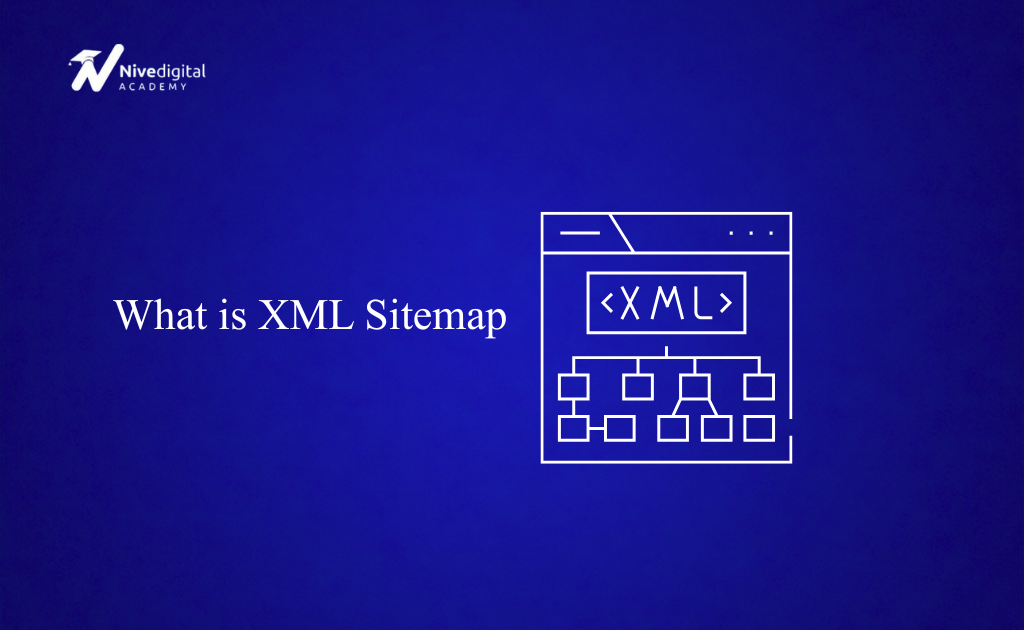
An XML sitemap is a file that lists the important pages on your website in XML (Extensible Markup Language) format. It acts as a roadmap that tells search engines which pages exist and should be crawled.
Instead of relying only on internal links to discover your pages, search engines can use your XML sitemap to find your content faster.
A typical XML sitemap is located at:
https://yourwebsite.com/sitemap.xml
or

https://yourwebsite.com/sitemap_index.xml
For large websites, a sitemap index file may contain multiple XML sitemaps.
Why Is an XML Sitemap Important?
An XML sitemap offers several SEO benefits.
1. Helps Search Engines Discover Your Pages
Search engines continuously crawl websites, but they may miss pages that aren’t well linked internally. A sitemap provides a complete list of important URLs.
2. Speeds Up Indexing
New pages can be found and indexed faster when they’re included in your XML sitemap.
3. Improves SEO for Large Websites
Websites with hundreds or thousands of pages benefit greatly because search engines can easily navigate all important content.
4. Supports New Websites
If your website has few backlinks, Google may have difficulty discovering your pages. An XML sitemap helps solve this problem.
5. Helps Index Rich Media
XML sitemaps can also include:

- Images
- Videos
- News articles
This increases the chances of multimedia appearing in search results.
How Does an XML Sitemap Work?
When search engine bots visit your website, they can check your sitemap to find:
- Important pages
- Recently updated pages
- New content
- Website structure
The sitemap doesn’t guarantee indexing, but it makes crawling much easier.
Google still decides whether a page deserves to be indexed based on its quality.
What Information Does an XML Sitemap Contain?
Each page listed in the sitemap usually includes:
- URL
- Last modified date
- Update frequency (optional)
- Priority (optional)
Example:
<url>
   <loc>https://example.com/blog/xml-sitemap</loc>
   <lastmod>2026-07-15</lastmod>
   <changefreq>weekly</changefreq>
   <priority>0.8</priority>
</url>
Today, Google mainly pays attention to the URL and the last modified date. The priority and change frequency tags are generally ignored.
XML Sitemap Example
Here’s a simple XML sitemap.
<?xml version="1.0" encoding="UTF-8"?>

<urlset xmlns="http://www.sitemaps.org/schemas/sitemap/0.9">

<url>
<loc>https://example.com/</loc>
<lastmod>2026-07-15</lastmod>
</url>

<url>
<loc>https://example.com/about</loc>
<lastmod>2026-07-10</lastmod>
</url>

<url>
<loc>https://example.com/blog</loc>
<lastmod>2026-07-13</lastmod>
</url>

</urlset>
Every website’s sitemap follows a similar structure.
What Pages Should Be Included in an XML Sitemap?
Include pages that you want search engines to index, such as:
- Homepage
- Blog posts
- Service pages
- Product pages
- Category pages
- Landing pages
- Important informational pages
Only include pages that provide value to users.
What Pages Should Not Be Included?
Avoid adding pages like:
- Login pages
- Admin pages
- Shopping cart pages
- Thank-you pages
- Duplicate content
- Filtered URLs
- Search result pages
- Pages blocked by robots.txt
- Pages with “noindex”
Keeping your sitemap clean helps search engines focus on your most valuable content.
How to Create an XML Sitemap
There are several ways to create one.
Method 1: Use a WordPress SEO Plugin
The easiest option for WordPress users.
Popular plugins include:
- Yoast SEO
- Rank Math
- All in One SEO
- SEOPress
After activating one of these plugins:
- Enable XML Sitemaps.
- The plugin automatically generates your sitemap.
- Visit:
https://yourdomain.com/sitemap.xml
or
https://yourdomain.com/sitemap_index.xml
The sitemap updates automatically whenever you publish new content.
Method 2: Use an Online XML Sitemap Generator
Several free tools can generate XML sitemaps.
Simply:
- Enter your website URL.
- Scan your website.
- Download the XML sitemap.
- Upload it to your website’s root directory.
This works well for small static websites.
Method 3: Create One Manually
For very small websites, you can manually create an XML file.
Example:
<?xml version="1.0" encoding="UTF-8"?>

<urlset xmlns="http://www.sitemaps.org/schemas/sitemap/0.9">

<url>
<loc>https://example.com/</loc>
<lastmod>2026-07-15</lastmod>
</url>

</urlset>
Save the file as:
sitemap.xml
Upload it to your website.
How to Submit an XML Sitemap to Google
After creating your sitemap:
- Open Google Search Console.
- Select your property.
- Click Sitemaps.
- Enter:
sitemap.xml
or
sitemap_index.xml
- Click Submit.
Google will begin processing the sitemap.
How to Submit a Sitemap to Bing
Bing also accepts XML sitemaps.
Simply:
- Open Bing Webmaster Tools.
- Go to Sitemaps.
- Add your sitemap URL.
- Submit it.
XML Sitemap Best Practices
Follow these best practices for the best SEO results.
Include Only Indexable URLs
Avoid adding pages blocked by robots.txt or marked with “noindex.”
Keep It Updated
Whenever you publish new pages, your sitemap should update automatically.
Use HTTPS URLs
Always list secure URLs if your website uses HTTPS.
Remove Broken URLs
404 pages should never appear in your sitemap.
Use Canonical URLs
Include only the preferred version of each page.
Split Large Sitemaps
A sitemap should contain no more than:
- 50,000 URLs
- 50 MB uncompressed
Larger websites should use multiple sitemap files with a sitemap index.
Keep URLs Clean
Avoid including URLs with unnecessary tracking parameters.
XML Sitemap vs HTML Sitemap
Many beginners confuse these two.
| XML Sitemap | HTML Sitemap |
|---|---|
| Designed for search engines | Designed for visitors |
| Uses XML format | Uses HTML |
| Helps crawling | Helps navigation |
| Usually hidden | Publicly accessible |
Both can exist on the same website.
Common XML Sitemap Mistakes
Avoid these common errors.
Including Noindex Pages
Google may ignore them and report warnings.
Listing Redirected URLs
Always use the final destination URL.
Including 404 Pages
Remove deleted pages from the sitemap.
Forgetting to Update the Sitemap
Outdated sitemaps reduce efficiency.
Blocking Sitemap Access
Your sitemap should be publicly accessible.
How to Check If Your Sitemap Is Working
You can verify it by:
- Opening your sitemap URL in a browser.
- Checking Google Search Console for errors.
- Using SEO auditing tools.
- Looking for successful sitemap processing reports.
If Google reports no issues, your sitemap is working correctly.
Frequently Asked Questions (FAQs)
What is an XML sitemap?
An XML sitemap is a file that lists the important pages on your website to help search engines discover and crawl them more efficiently.
Is an XML sitemap required?
No. A website can still be indexed without one. However, having an XML sitemap is highly recommended because it makes crawling and indexing easier.
Where is an XML sitemap located?
Most websites have it at:
- yourdomain.com/sitemap.xml
- yourdomain.com/sitemap_index.xml
How often should an XML sitemap be updated?
It should be updated whenever new pages are added, existing pages are modified, or pages are removed. Most SEO plugins handle this automatically.
Can I have multiple XML sitemaps?
Yes. Large websites often use multiple sitemap files managed through a sitemap index.
Does an XML sitemap improve rankings?
Not directly. An XML sitemap helps search engines discover and index your pages more efficiently, which can improve your site’s visibility in search results.
Conclusion
An XML sitemap is a simple but powerful SEO tool that helps search engines understand the structure of your website and discover your most important pages. Whether you’re managing a personal blog, an online store, or a large business website, creating and maintaining an accurate XML sitemap makes it easier for search engines to crawl and index your content.
For most WordPress websites, generating an XML sitemap is automatic with SEO plugins like Yoast SEO or Rank Math. Once your sitemap is live, submit it to Google Search Console and Bing Webmaster Tools, keep it updated, and ensure it contains only high-quality, indexable pages. Combined with strong content and good technical SEO practices, an XML sitemap can contribute to better search engine visibility and long-term organic growth.