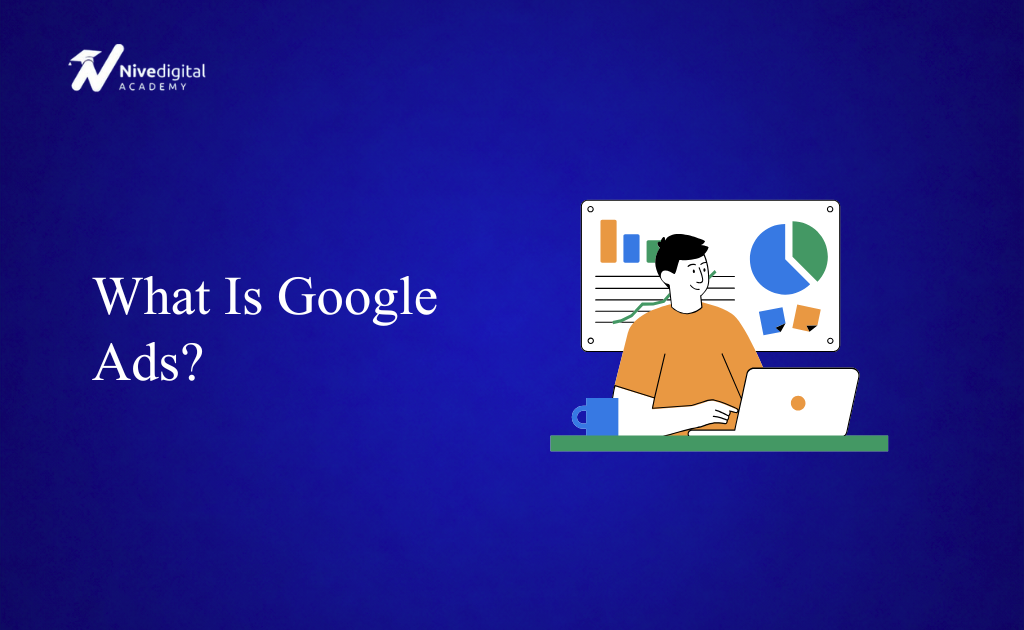
Google Ads is one of the most powerful online advertising platforms in the world. Every day, billions of people use Google to search for products, services, answers, and businesses. With Google Ads, companies can place their advertisements in front of these potential customers at the exact moment they’re searching for what they offer.
NiveDigital Academy is a leading digital marketing training institute in Nigeria. Learn practical digital marketing skills, master SEO, social media marketing, Google Ads, content marketing, and more — and build the skills you need to grow a business, get clients, or start a career in digital marketing.
Whether you’re a small business owner, digital marketer, freelancer, or entrepreneur, learning Google Ads can help you generate leads, increase sales, and grow your business faster. Unlike Search Engine Optimization (SEO), which can take months to produce results, Google Ads can start driving traffic to your website almost immediately after a campaign goes live.
In 2026, Google Ads has become even more advanced with Artificial Intelligence (AI) helping advertisers create better campaigns, optimize bids, improve targeting, and maximize their return on investment. However, understanding the fundamentals remains essential because AI works best when combined with a well-planned advertising strategy.
In this guide, you’ll learn what Google Ads is, how it works, the different campaign types, its benefits, and how beginners can get started with Google advertising.
What Is Google Ads?
Google Ads is Google’s online advertising platform that allows businesses to display paid advertisements across Google’s network, including Google Search, YouTube, Google Maps, Gmail, Google Shopping, and millions of partner websites.
Advertisers create campaigns targeting specific keywords, audiences, locations, and demographics. When someone searches for those keywords or matches the selected audience, Google may display the advertiser’s ad.
For example, if someone searches for “Digital Marketing Course in Lagos,” businesses running Google Ads for that keyword may appear at the top of the search results before the organic listings.
Google Ads works on a pay-per-click (PPC) model for many campaign types, meaning advertisers usually pay only when someone clicks on their ad.
How Does Google Ads Work?
Google Ads connects businesses with people actively searching for information, products, or services.
Here’s how it works.
Step 1: Create a Campaign
The advertiser creates a campaign inside Google Ads.
During setup, they choose:
- Campaign objective
- Budget
- Target audience
- Keywords
- Location
- Devices
- Ad format
Step 2: Choose Keywords
Keywords are the search terms people type into Google.
For example:
- SEO Course
- Buy Laptop
- Hair Salon Near Me
- Google Ads Training
Choosing relevant keywords helps Google know when to display your ads.
Step 3: Write Your Advertisement
An ad usually contains:
- Headlines
- Descriptions
- Display URL
- Call-to-action
Your ad should clearly explain what you offer and encourage users to click.
Step 4: Google Runs an Auction
Every time someone performs a search, Google runs an instant auction to determine which ads appear.
Google considers factors such as:
- Bid amount
- Ad quality
- Landing page experience
- Expected click-through rate
- Ad relevance
The highest bidder doesn’t always win. Google rewards high-quality advertisements with better placements.
Step 5: Your Ad Appears
If your ad wins the auction, it appears on Google Search or another selected platform.
If someone clicks your ad, they’re taken to your website or landing page.
Types of Google Ads Campaigns
Google Ads offers several campaign types to help businesses reach different audiences.
Search Campaigns
Search Ads appear on Google’s search results page when users search for specific keywords.
These ads are ideal for generating leads and sales because they target people with high purchase intent.
Display Campaigns
Display Ads appear across millions of websites in Google’s Display Network.
They are commonly used for:
- Brand awareness
- Remarketing
- Product promotion
Display campaigns use image-based advertisements.
Shopping Campaigns
Shopping Ads showcase products directly within Google Search.
These ads display:
- Product image
- Price
- Store name
- Product title
Shopping campaigns are particularly effective for eCommerce businesses.
Video Campaigns
Video Ads appear on YouTube before, during, or after videos.
Businesses use them to:
- Increase brand awareness
- Promote products
- Generate leads
- Drive website traffic
Performance Max Campaigns
Performance Max uses Google’s AI to automatically display ads across multiple Google platforms, including Search, Display, YouTube, Gmail, Maps, and Discover.
It helps advertisers maximize conversions using machine learning and automation.
App Campaigns
These campaigns help businesses promote mobile applications and encourage downloads across Google’s network.
Benefits of Google Ads
Google Ads offers many advantages for businesses.
Immediate Results
Unlike SEO, which often takes months, Google Ads can begin generating traffic shortly after campaigns launch.
Reach the Right Audience
Advertisers can target users based on:
- Keywords
- Location
- Age
- Gender
- Interests
- Devices
- Languages
This helps businesses reach highly relevant audiences.
Measurable Performance
Google Ads provides detailed reports showing:
- Clicks
- Impressions
- Conversions
- Cost per click
- Return on investment
- Click-through rate
These insights allow advertisers to improve campaign performance continuously.
Flexible Budget
Businesses can choose daily budgets that fit their marketing goals.
Whether you have a small or large budget, Google Ads offers flexibility.
High Purchase Intent
Search campaigns target people actively searching for products or services, making them more likely to convert into customers.
Important Google Ads Terms You Should Know
As a beginner, you’ll often come across these terms:
PPC (Pay-Per-Click)
A pricing model where advertisers pay when someone clicks their ad.
CPC (Cost-Per-Click)
The amount you pay for each click on your advertisement.
CTR (Click-Through Rate)
The percentage of people who click your ad after seeing it.
A higher CTR usually indicates a more relevant ad.
Conversion
A conversion occurs when a visitor completes a desired action, such as:
- Making a purchase
- Filling out a form
- Calling your business
- Registering for a course
Quality Score
Google’s rating of your advertisement based on:
- Keyword relevance
- Ad quality
- Landing page experience
Higher Quality Scores can reduce advertising costs.
Best Practices for Running Successful Google Ads
To achieve better results, follow these best practices:
- Conduct proper keyword research.
- Write compelling headlines.
- Include clear calls-to-action.
- Create dedicated landing pages.
- Optimize for mobile users.
- Test multiple advertisements.
- Monitor campaign performance regularly.
- Use negative keywords to prevent irrelevant clicks.
- Improve Quality Score.
- Track conversions.
Successful Google Ads campaigns require continuous testing and optimization.
Common Google Ads Mistakes
Many beginners waste money because of avoidable mistakes.
Some of the most common include:
- Targeting broad keywords without strategy.
- Sending traffic to poor landing pages.
- Ignoring negative keywords.
- Not tracking conversions.
- Using weak ad copy.
- Failing to optimize campaigns.
- Choosing the wrong campaign objective.
- Not testing different ads.
Avoiding these mistakes can significantly improve campaign performance.
Google Ads vs SEO
Many beginners wonder whether they should invest in Google Ads or SEO.
The truth is that both strategies have different strengths.
| Google Ads | SEO |
|---|---|
| Paid traffic | Organic traffic |
| Immediate results | Long-term results |
| Pay for clicks | No cost per click |
| Stops when budget ends | Can continue generating traffic |
| Great for quick leads | Excellent for sustainable growth |
Many successful businesses use both Google Ads and SEO together to maximize visibility and traffic.
Is Google Ads Worth Learning in 2026?
Absolutely.
Google Ads remains one of the most in-demand digital marketing skills worldwide.
Businesses constantly need professionals who can:
- Generate leads
- Increase online sales
- Reduce advertising costs
- Improve campaign performance
- Analyze marketing data
Whether you want to become a freelancer, digital marketer, entrepreneur, or agency owner, Google Ads is a valuable skill that can open many career opportunities.
Learn Google Ads at Nivedigital Academy
Running profitable Google Ads campaigns requires more than simply creating advertisements. You need to understand keyword research, audience targeting, bidding strategies, conversion tracking, landing page optimization, and campaign analysis.
At Nivedigital Academy, our practical Digital Marketing training teaches students how to plan, create, manage, and optimize Google Ads campaigns that generate measurable business results. You’ll learn Search Ads, Display Ads, YouTube Ads, Performance Max campaigns, conversion tracking, keyword research, Quality Score optimization, and AI-powered advertising strategies.
Our training focuses on hands-on experience rather than theory. Students work on practical projects, build real campaigns, analyze campaign performance, and learn how businesses use Google Ads to increase traffic, leads, and sales.
Whether you’re a beginner looking to start a career in digital marketing, a business owner wanting to attract more customers, or a freelancer seeking high-income skills, Nivedigital Academy provides the practical knowledge and mentorship you need to succeed.
Frequently Asked Questions (FAQs)
What is Google Ads?
Google Ads is Google’s online advertising platform that allows businesses to display paid advertisements on Google Search, YouTube, Google Maps, Gmail, and millions of partner websites.
Is Google Ads free?
Creating a Google Ads account is free, but advertisers pay when users interact with their ads, depending on the campaign type and bidding strategy.
How much does Google Ads cost?
There is no fixed cost. Advertisers set their own budgets, and costs vary depending on competition, keywords, and campaign objectives.
Is Google Ads better than SEO?
Google Ads provides immediate visibility through paid advertising, while SEO focuses on long-term organic traffic. Many businesses use both together for the best results.
Can beginners learn Google Ads?
Yes. Google Ads is beginner-friendly, especially when learned through practical training and real campaign experience.
Is Google Ads a good career?
Yes. Businesses worldwide hire Google Ads specialists to manage advertising campaigns, making it one of the most valuable digital marketing skills in 2026.
Conclusion
Google Ads is one of the fastest and most effective ways to reach potential customers online. By allowing businesses to display targeted advertisements across Google’s vast network, it helps generate qualified traffic, increase leads, and drive sales in a measurable and cost-effective way.
While Google’s AI has made campaign management more efficient, successful advertising still depends on understanding your audience, selecting the right keywords, writing compelling ads, and continuously optimizing performance. Whether you’re promoting a local business, an eCommerce store, or a professional service, mastering Google Ads can give you a significant competitive advantage.
If you’re looking to build a career in digital marketing or grow your business online, learning Google Ads is a worthwhile investment that can deliver valuable skills and long-term opportunities in 2026 and beyond.