Technical SEO is the foundation of every successful website. You can publish high-quality content, build backlinks, and optimize your pages, but if search engines can’t properly crawl, index, and understand your website, your rankings will suffer.
NiveDigital Academy is a leading digital marketing training institute in Nigeria. Learn practical digital marketing skills, master SEO, social media marketing, Google Ads, content marketing, and more — and build the skills you need to grow a business, get clients, or start a career in digital marketing.
Many website owners focus heavily on keywords and content while overlooking technical SEO. However, search engines like Google rely on technical signals to discover your pages, understand your website structure, and deliver the best possible experience to users.
Whether you’re a beginner, business owner, blogger, web developer, or SEO professional, understanding technical SEO is essential if you want to improve your search visibility and organic traffic.
In this complete guide, you’ll learn what technical SEO is, why it matters, the most important technical SEO elements, and the best practices to optimize your website in 2026.
What Is Technical SEO?
Technical SEO is the process of optimizing a website’s technical infrastructure so that search engines can efficiently crawl, index, and rank its pages.
Unlike On-Page SEO, which focuses on optimizing content and keywords, Technical SEO focuses on improving how your website functions behind the scenes.

Some of the most important technical SEO elements include:
- Website crawling
- Indexing
- XML sitemaps
- Robots.txt
- Website architecture
- URL structure
- Page speed
- Core Web Vitals
- Mobile friendliness
- HTTPS security
- Canonical tags
- Structured data (Schema Markup)
- Duplicate content management
- Broken links
- Redirects
Together, these elements help search engines understand your website while improving the experience for visitors.
Why Is Technical SEO Important?
Technical SEO provides the foundation for every successful SEO strategy.
Even the best content may struggle to rank if search engines encounter technical issues while crawling or indexing your website.
Here are some of the biggest reasons Technical SEO matters.
Improves Crawlability
Search engines use automated bots to crawl websites.
A technically optimized website makes it easier for these bots to discover and understand your pages.

Improves Indexing
After crawling your website, search engines decide whether to include your pages in their search index.
Proper technical optimization increases the likelihood that important pages will be indexed correctly.
Improves User Experience
Technical SEO isn’t only about search engines.
Fast loading pages, secure browsing, responsive design, and logical navigation all contribute to a better experience for visitors.
Supports Higher Rankings
Although technical SEO alone won’t guarantee top rankings, it removes obstacles that prevent search engines from evaluating your content effectively.
Increases Organic Traffic
Better crawlability, indexing, and user experience often lead to improved search visibility, resulting in more organic traffic.
How Technical SEO Works
Technical SEO ensures that search engines can successfully complete three important tasks:
Step 1: Crawling
Google uses automated bots called Googlebot to discover pages across the internet.
The crawler follows internal and external links while analyzing your website.
If important pages cannot be crawled, they cannot appear in search results.
Step 2: Indexing
Once pages have been crawled, Google evaluates whether they should be stored in its search index.
Pages may fail to be indexed because of:
- Noindex tags
- Duplicate content
- Poor quality
- Crawl errors
- Blocked resources
- Robots.txt restrictions
Indexed pages become eligible to appear in Google Search.
Step 3: Ranking
After indexing, Google’s algorithms evaluate hundreds of ranking factors to determine where pages should appear for different search queries.
Technical SEO helps ensure your pages are eligible to compete effectively.
Technical SEO vs On-Page SEO
Although both are essential, they focus on different aspects of optimization.
| Technical SEO | On-Page SEO |
|---|---|
| Improves website infrastructure | Optimizes page content |
| Focuses on crawling and indexing | Focuses on keywords |
| Improves page speed | Improves content quality |
| Uses XML sitemaps | Uses title tags |
| Uses robots.txt | Uses header tags |
| Uses schema markup | Uses internal links |
| Improves website architecture | Improves user engagement |
Both work together to improve search performance.
Core Elements of Technical SEO
A strong technical SEO strategy includes several important components.
Website Crawlability
Search engines must be able to access every important page on your website.
To improve crawlability:
- Use clear navigation
- Create logical internal links
- Avoid orphan pages
- Submit XML sitemaps
- Fix broken links
- Remove unnecessary crawl barriers
The easier it is for search engines to crawl your website, the better they can understand your content.
Website Indexing
Not every crawled page is indexed.
Monitor your indexing status using Google Search Console.
Regularly check for:
- Excluded pages
- Soft 404 errors
- Duplicate pages
- Crawled but not indexed pages
- Discovered but not indexed pages
Resolving these issues helps ensure your important pages appear in search results.
Website Architecture
Website architecture refers to how pages are organized.
A good structure should:
- Be easy to navigate
- Use logical categories
- Support internal linking
- Minimize click depth
- Group related content together
Simple architecture benefits both users and search engines.
SEO-Friendly URL Structure
URLs should be:
- Short
- Descriptive
- Easy to read
- Keyword relevant
- Consistent
Example:
Good URL
yourwebsite.com/technical-seo-guide
Avoid URLs filled with unnecessary numbers, symbols, or random parameters.
XML Sitemap
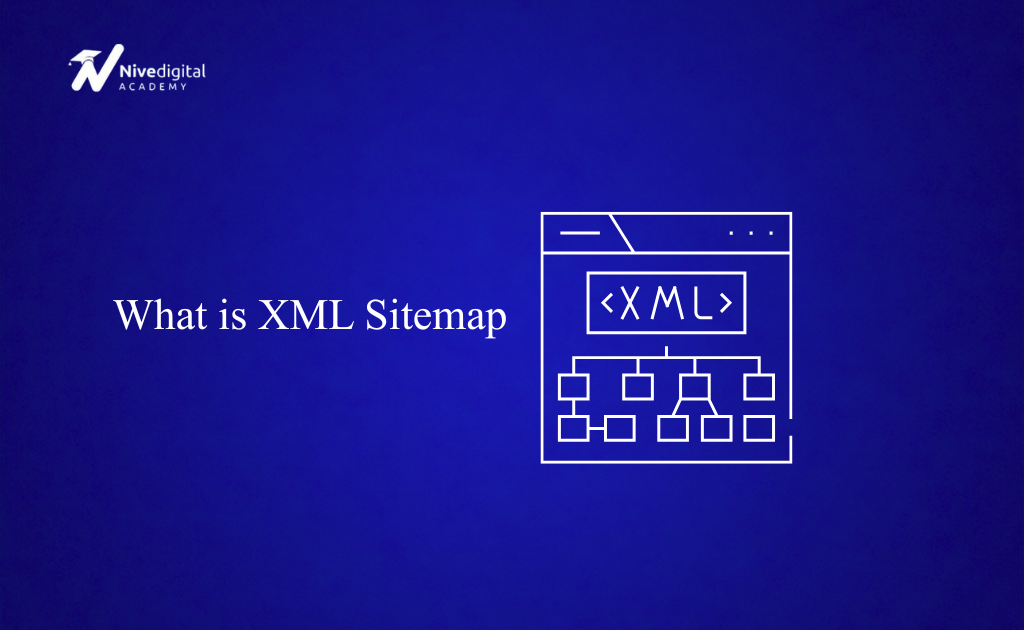
An XML sitemap lists the important pages on your website and helps search engines discover them more efficiently.
A sitemap should:
- Include important pages
- Exclude low-value pages
- Update automatically
- Be submitted to Google Search Console
Sitemaps are especially valuable for large websites or newly launched websites.
Robots.txt
The robots.txt file tells search engines which parts of your website they can or cannot crawl.
A properly configured robots.txt file helps prevent unnecessary crawling while ensuring important pages remain accessible.
Incorrect robots.txt settings can accidentally block valuable pages from search engines, making regular reviews essential.
Core Web Vitals
Core Web Vitals are Google’s user experience metrics that measure how quickly and smoothly a web page loads and responds to user interactions.
Improving these metrics helps create a better experience for visitors and supports your overall SEO efforts.
The three Core Web Vitals are:
Largest Contentful Paint (LCP)
LCP measures how quickly the largest visible element on a page loads.
A fast LCP means visitors can see the main content quickly instead of waiting for large images or text to appear.
Ways to improve LCP include:
- Compressing images
- Using fast web hosting
- Implementing browser caching
- Reducing server response time
- Using a Content Delivery Network (CDN)
Interaction to Next Paint (INP)
INP measures how quickly your website responds when users interact with it, such as clicking buttons or filling out forms.
A responsive website creates a smoother user experience.
You can improve INP by:
- Reducing JavaScript execution
- Removing unnecessary scripts
- Optimizing third-party code
- Improving browser responsiveness
Cumulative Layout Shift (CLS)
CLS measures visual stability.
If buttons, images, or text move unexpectedly while the page loads, users may accidentally click the wrong element.
Reduce layout shifts by:
- Defining image dimensions
- Reserving space for advertisements
- Avoiding unexpected content movement
- Optimizing font loading
Page Speed
Page speed remains one of the most important technical SEO factors.
Slow websites frustrate users and often experience:
- Higher bounce rates
- Lower engagement
- Reduced conversions
- Lower search visibility
Ways to improve page speed include:
- Compress images
- Minify CSS
- Minify JavaScript
- Enable GZIP compression
- Use browser caching
- Reduce HTTP requests
- Remove unnecessary plugins
- Upgrade hosting
- Use a CDN
Fast-loading websites generally provide a better user experience and encourage visitors to explore more pages.
Mobile Friendliness
Most internet users now browse websites on mobile devices.
Because of this, Google primarily uses the mobile version of your website when determining rankings.
A mobile-friendly website should:
- Display correctly on smartphones
- Load quickly
- Use responsive design
- Have readable text
- Feature clickable buttons
- Avoid horizontal scrolling
Always test your website on multiple devices before publishing major updates.
HTTPS Security
HTTPS encrypts communication between your website and visitors.
Secure websites protect user information while building trust.
Benefits of HTTPS include:
- Improved security
- Better user confidence
- Data encryption
- Browser trust indicators
- SEO benefits
If your website still uses HTTP, installing an SSL certificate should be a priority.
Canonical Tags
Sometimes multiple URLs display identical or very similar content.
Canonical tags tell search engines which version should be treated as the primary page.
For example:
- example.com/product
- example.com/product?ref=facebook
Without canonical tags, search engines may view these as duplicate pages.
Canonical tags help consolidate ranking signals and avoid duplicate content issues.
Structured Data (Schema Markup)
Structured data helps search engines better understand your website.
Schema markup can enhance search listings with additional information such as:
- Star ratings
- FAQs
- Products
- Courses
- Organizations
- Events
- Breadcrumbs
- Articles
These enhanced search results often receive higher click-through rates.
Breadcrumb Navigation
Breadcrumbs help users understand where they are within your website.
Example:
Home → SEO → Technical SEO → Technical SEO Guide
Benefits include:
- Better navigation
- Improved user experience
- Easier crawling
- Enhanced search appearance
Breadcrumbs are especially useful on large websites with many categories.
Redirects
Redirects automatically send visitors from one URL to another.
The most common redirect types include:
301 Redirect
A permanent redirect used when a page has permanently moved.
301 redirects transfer most of the original page’s SEO value to the new URL.
302 Redirect
A temporary redirect used when a page will return in the future.
Using the correct redirect type helps preserve rankings and prevents broken user journeys.
Duplicate Content
Duplicate content occurs when identical or nearly identical content appears on multiple URLs.
Examples include:
- Printer-friendly pages
- URL parameters
- Copied product descriptions
- Multiple versions of the same page
Duplicate content can confuse search engines and reduce ranking performance.
Ways to prevent duplicate content include:
- Canonical tags
- 301 redirects
- Unique content
- Proper internal linking
Broken Links
Broken links lead visitors to pages that no longer exist.
They create poor user experiences and waste crawl resources.
Regularly check your website for:
- Broken internal links
- Broken external links
- Missing images
- 404 errors
Fixing broken links improves website quality and crawl efficiency.
XML Sitemap Optimization
Creating a sitemap is only the beginning.
A well-optimized XML sitemap should:
- Include indexable pages only
- Exclude redirects
- Exclude noindex pages
- Exclude duplicate pages
- Update automatically
Submitting an optimized sitemap through Google Search Console helps search engines discover your newest content.
Crawl Budget
Large websites often have thousands of pages.
Search engines allocate a crawl budget, which determines how many pages they crawl during each visit.
To improve crawl efficiency:
- Remove duplicate pages
- Fix broken links
- Improve internal linking
- Block unnecessary URLs
- Keep your sitemap updated
Efficient crawling helps search engines discover your most important content.
JavaScript SEO
Many modern websites rely heavily on JavaScript.
If JavaScript is poorly implemented, search engines may struggle to crawl or render important content.
Best practices include:
- Server-side rendering where appropriate
- Testing rendered pages
- Avoiding hidden content
- Optimizing JavaScript files
- Monitoring crawl issues
Proper JavaScript optimization ensures search engines can fully access your content.
International SEO
If your website targets multiple countries or languages, international SEO becomes important.
This includes:
- Language targeting
- Country targeting
- hreflang implementation
- Localized content
- Regional URLs
Correct international SEO helps search engines deliver the right version of your website to the right audience.
Why Technical SEO Requires Ongoing Maintenance
Technical SEO isn’t something you complete once and forget.
As websites grow, technical issues naturally develop.
Regular maintenance should include:
- Site audits
- Crawl error checks
- Speed optimization
- Broken link monitoring
- Index coverage reviews
- Core Web Vitals monitoring
- Schema validation
- Sitemap updates
Routine technical audits help keep your website healthy and competitive in search results.
Technical SEO Best Practices
A technically optimized website is easier for search engines to crawl, understand, and rank. Following these best practices will help improve your website’s overall health and search performance.
Keep Your Website Crawlable
Search engines should be able to discover all your important pages without difficulty.
To improve crawlability:
- Create a logical website structure
- Use clear navigation menus
- Build strong internal links
- Remove orphan pages
- Keep your XML sitemap updated
The easier it is for search engines to navigate your website, the more efficiently they can index your content.
Improve Website Speed
Fast websites create better user experiences and encourage visitors to stay longer.
Regularly optimize:
- Images
- CSS files
- JavaScript files
- Hosting performance
- Caching
- CDN configuration
Website speed should be monitored continuously rather than treated as a one-time optimization.
Use HTTPS Across Your Entire Website
Every page should be served securely using HTTPS.
Secure websites protect visitor information while improving user trust.
Avoid mixed-content issues by ensuring all resources, including images, scripts, and stylesheets, load over HTTPS.
Optimize for Mobile Devices
Your website should provide an excellent experience on smartphones and tablets.
Regularly test:
- Mobile navigation
- Page speed
- Font sizes
- Buttons
- Forms
- Responsive layouts
Mobile optimization is no longer optional.
Fix Crawl Errors Quickly
Use Google Search Console to identify issues such as:
- 404 errors
- Server errors
- Redirect problems
- Blocked pages
- Indexing issues
Resolving these errors helps search engines crawl your website more efficiently.
Monitor Core Web Vitals
Review your Core Web Vitals regularly and improve areas where your website falls below recommended performance levels.
Small improvements can significantly enhance user experience.
Use Structured Data
Implement relevant schema markup whenever appropriate.
Popular schema types include:
- Article
- FAQ
- Organization
- Course
- Product
- Breadcrumb
- Local Business
Structured data helps search engines better understand your content.
Maintain a Clean URL Structure
URLs should remain:
- Short
- Descriptive
- Consistent
- Easy to understand
Avoid changing URLs unnecessarily.
If a URL must change, use a proper 301 redirect.
Common Technical SEO Mistakes
Many websites experience ranking problems because of technical issues that could easily be avoided.
Blocking Important Pages
Incorrect robots.txt rules may accidentally prevent search engines from crawling valuable pages.
Always review your robots.txt file after making changes.
Poor XML Sitemap Management
Common sitemap mistakes include:
- Including redirected URLs
- Including 404 pages
- Including noindex pages
- Forgetting to update the sitemap
Your sitemap should contain only important, indexable pages.
Slow Website Performance
Large images, excessive scripts, poor hosting, and unnecessary plugins can all reduce website performance.
Regular speed optimization is essential.
Duplicate Content
Publishing identical content across multiple URLs can dilute ranking signals.
Use canonical tags where appropriate and consolidate duplicate pages whenever possible.
Broken Internal Links
Broken links create poor user experiences and waste crawl resources.
Audit your website regularly to identify and fix broken links.
Redirect Chains
Redirect chains occur when one redirect leads to another.
Example:
Page A → Page B → Page C
Instead, redirect directly:
Page A → Page C
This improves crawl efficiency and page speed.
Ignoring Mobile Optimization
A desktop-only experience is no longer sufficient.
Always prioritize mobile usability during website development and maintenance.
Missing Canonical Tags
Without canonical tags, search engines may struggle to determine the preferred version of similar pages.
This can lead to duplicate content issues.
Technical SEO Checklist
Before launching or auditing a website, review the following checklist.
✓ Website uses HTTPS
✓ XML sitemap created
✓ Sitemap submitted to Google Search Console
✓ Robots.txt configured correctly
✓ No important pages blocked
✓ Website loads quickly
✓ Core Web Vitals optimized
✓ Mobile-friendly design
✓ Clean URL structure
✓ Internal links working
✓ No broken links
✓ No redirect chains
✓ Canonical tags implemented
✓ Schema markup added
✓ Images optimized
✓ Crawl errors resolved
✓ Duplicate content minimized
✓ Important pages indexed
Following this checklist helps ensure your website is technically optimized.
Best Technical SEO Tools
Professional SEO tools make identifying technical issues much easier.
Google Search Console
Google Search Console helps monitor:
- Crawl errors
- Index coverage
- Mobile usability
- Core Web Vitals
- Search performance
- XML sitemap status
Every website owner should use Google Search Console.
Google PageSpeed Insights
PageSpeed Insights analyzes website performance and provides recommendations for improving loading speed and user experience.
Google Lighthouse
Lighthouse audits:
- Performance
- Accessibility
- SEO
- Best practices
- Progressive Web Apps
It is available directly within Google Chrome Developer Tools.
Screaming Frog SEO Spider
One of the most popular technical SEO tools.
It helps identify:
- Missing title tags
- Duplicate content
- Broken links
- Redirect issues
- Missing headings
- Canonical problems
Ahrefs Site Audit
Ahrefs crawls websites and reports technical SEO issues, helping prioritize improvements.
Semrush Site Audit
Semrush provides detailed reports covering:
- Crawlability
- HTTPS issues
- Internal linking
- Site performance
- Duplicate content
- Structured data
GTmetrix
GTmetrix measures website speed and provides recommendations for improving performance.
It is particularly useful for monitoring loading times.
How to Perform a Technical SEO Audit
A technical SEO audit helps identify issues that may affect your website’s visibility in search engines.
Step 1: Check Indexing
Review Google Search Console to confirm that important pages are indexed.
Investigate any excluded pages that should appear in search results.
Step 2: Review Crawl Errors
Identify and fix:
- 404 errors
- Redirect issues
- Server errors
- Blocked pages
Step 3: Test Website Speed
Analyze your website using tools like Google PageSpeed Insights or GTmetrix.
Prioritize improvements that have the greatest impact on loading speed.
Step 4: Review Mobile Usability
Test your website on different screen sizes to ensure a smooth mobile experience.
Step 5: Audit Internal Links
Look for:
- Broken links
- Orphan pages
- Redirect chains
- Weak internal linking
Strengthening your internal linking improves crawlability.
Step 6: Validate Structured Data
Check your schema markup to ensure it is implemented correctly.
Correct structured data can improve your search appearance.
Step 7: Review XML Sitemap and Robots.txt
Confirm that:
- Important pages appear in your sitemap.
- Robots.txt isn’t blocking valuable content.
- Search engines can crawl your website efficiently.
Performing regular audits helps identify issues before they negatively impact rankings.
Learn Technical SEO at Nivedigital Academy
Technical SEO is one of the most valuable skills for anyone serious about search engine optimization.
At Nivedigital Academy, students receive practical SEO training designed to prepare them for real-world projects.
The SEO program covers:
- Technical SEO
- On-Page SEO
- Off-Page SEO
- Keyword Research
- AI SEO
- Local SEO
- SEO Audits
- Google Search Console
- Google Analytics
- Core Web Vitals
- Schema Markup
- Website Optimization
Students work on real websites, perform technical SEO audits, and gain practical experience that can be applied to businesses, freelance projects, or professional SEO roles.
Frequently Asked Questions
What is Technical SEO?
Technical SEO involves optimizing a website’s technical infrastructure so search engines can efficiently crawl, index, and rank its pages.
Why is Technical SEO important?
Technical SEO improves crawlability, indexing, website performance, and user experience, creating a strong foundation for better search rankings.
What is the difference between Technical SEO and On-Page SEO?
Technical SEO focuses on website infrastructure, while On-Page SEO focuses on optimizing content and page elements such as titles, headings, and keywords.
How often should I perform a Technical SEO audit?
It’s recommended to audit your website regularly, especially after major updates, redesigns, or content migrations.
What are the most important Technical SEO factors?
Important factors include:
- Crawlability
- Indexing
- XML sitemaps
- Robots.txt
- Core Web Vitals
- Page speed
- HTTPS
- Mobile friendliness
- Canonical tags
- Structured data
Which tools are best for Technical SEO?
Popular tools include Google Search Console, Google PageSpeed Insights, Google Lighthouse, Screaming Frog, Ahrefs, Semrush, and GTmetrix.
Can beginners learn Technical SEO?
Yes. Although Technical SEO can seem complex initially, beginners can master it through structured learning and hands-on practice.
Where can I learn Technical SEO in Nigeria?
If you’re looking for practical SEO training, Nivedigital Academy is one of the best places to learn Technical SEO in Nigeria. Students gain hands-on experience optimizing websites, performing technical audits, and using professional SEO tools.
Conclusion
Technical SEO is the backbone of every successful website. Without a strong technical foundation, even high-quality content and powerful backlink strategies may struggle to achieve their full potential. By optimizing crawlability, indexing, website speed, Core Web Vitals, mobile usability, structured data, and overall site architecture, you make it easier for search engines to understand your website and provide visitors with a better experience.
Technical SEO is not a one-time task but an ongoing process of monitoring, testing, and improving your website as search engines and user expectations evolve. Regular audits and proactive maintenance help identify issues early and ensure your website remains competitive.
Whether you’re managing your own website, working with clients, or pursuing a career in SEO, mastering Technical SEO is an essential skill. If you’re ready to gain practical, real-world experience, Nivedigital Academy provides comprehensive SEO training that equips you with the knowledge and confidence to optimize websites for long-term search success.