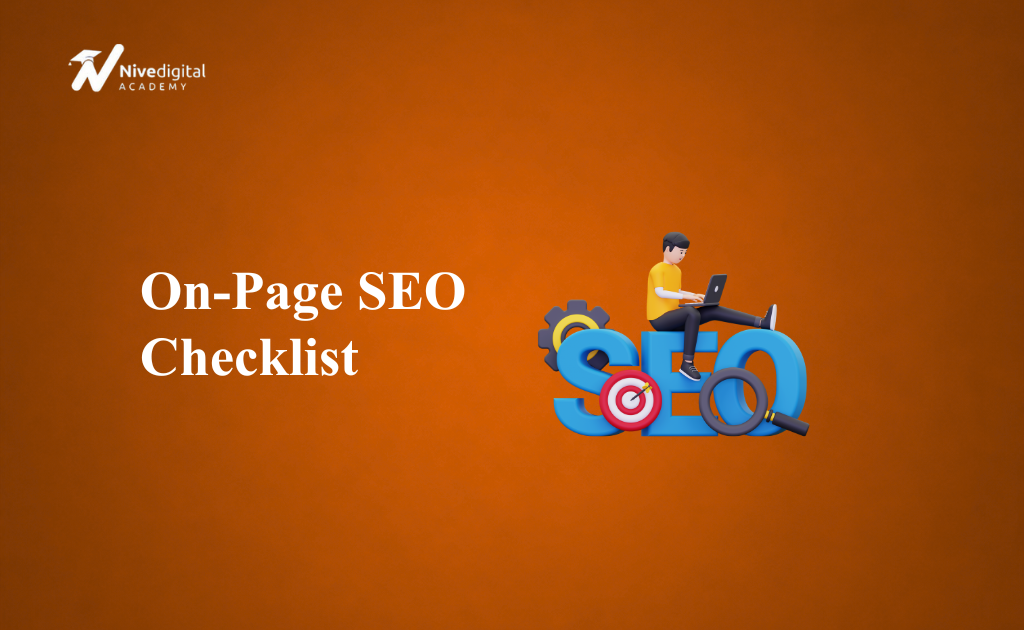
On-page SEO remains one of the most important aspects of ranking higher on Google. While search engines have become much smarter thanks to AI and machine learning, they still rely on well-optimized pages to understand your content, determine its relevance, and deliver the best results to users.
NiveDigital Academy is a leading digital marketing training institute in Nigeria. Learn practical digital marketing skills, master SEO, social media marketing, Google Ads, content marketing, and more — and build the skills you need to grow a business, get clients, or start a career in digital marketing.
If your website has excellent content but poor on-page SEO, you may struggle to rank even if your competitors have weaker content. On the other hand, combining high-quality content with a strong on-page SEO strategy can significantly improve your visibility, traffic, and conversions.
This comprehensive on-page SEO checklist will walk you through everything you need to optimize your pages in 2026, whether you’re running a business website, blog, eCommerce store, or affiliate site.
What Is On-Page SEO?
On-page SEO is the process of optimizing the elements on a webpage to improve its rankings in search engines and provide a better user experience.
Unlike off-page SEO, which focuses on backlinks and external signals, on-page SEO deals with everything you can control on your website.
This includes:
- Content quality
- Page titles
- Headings
- URLs
- Images
- Internal links
- Meta descriptions
- User experience
- Page speed
- Mobile optimization
- Schema markup
A well-optimized page helps search engines understand what your content is about while making it easier for users to find the information they need.
Why On-Page SEO Matters in 2026
Search engines now prioritize helpful, trustworthy, and user-focused content more than ever before.
Good on-page SEO helps you:
- Rank higher on Google
- Increase organic traffic
- Improve click-through rates
- Reduce bounce rates
- Increase time on page
- Improve user experience
- Generate more leads and sales
- Build topical authority
Even the best backlink strategy cannot compensate for poorly optimized pages.
The Complete On-Page SEO Checklist
1. Perform Keyword Research First
Every page should target one primary keyword.
Before writing, identify:
- Primary keyword
- Secondary keywords
- Long-tail keywords
- Related search terms
- User search intent
For example, if your target keyword is:

Digital Marketing Course Nigeria
Related keywords might include:
- Best digital marketing course
- Online digital marketing training
- Digital marketing certification Nigeria
- Learn digital marketing in Lagos
Avoid targeting multiple unrelated keywords on the same page.
2. Understand Search Intent
Every keyword has a purpose.
Google wants to show results that match what users are looking for.
Common search intents include:
Informational
Examples:
- What is SEO?
- How to rank on Google
Commercial
Examples:
- Best SEO tools
- Best laptops for students
Transactional
Examples:
- Buy iPhone 16
- Enroll in SEO course
Navigational
Examples:
- Facebook Login
- Gmail
Your content should satisfy the user’s intent better than competing pages.
3. Write an SEO-Friendly URL
Short URLs generally perform better.
Good example:
yourwebsite.com/on-page-seo-checklist
Avoid:
yourwebsite.com/category/blog/post123?id=2026&seo=guide
Best practices:
- Keep URLs short.
- Include your primary keyword.
- Use hyphens instead of underscores.
- Remove unnecessary words.
4. Optimize Your Title Tag
Your title tag is one of the strongest on-page ranking signals.
Include:
- Primary keyword
- Benefit
- Year when relevant
Example:
Full On-Page SEO Checklist 2026 (Complete Guide)
Tips:
- Keep it under 60 characters where possible.
- Place the keyword near the beginning.
- Make it compelling enough to encourage clicks.
5. Write a Compelling Meta Description
Although meta descriptions are not a direct ranking factor, they influence click-through rates.
A good meta description should:
- Include your keyword naturally.
- Explain what readers will learn.
- Encourage users to click.
Aim for around 150–160 characters.
6. Use One H1 Tag
Every page should have only one H1.
The H1 should:
- Clearly describe the topic.
- Include the primary keyword.
- Match the search intent.
Example:
Full On-Page SEO Checklist 2026
7. Organize Content With H2 and H3 Headings
Use headings to improve readability.
Benefits include:
- Easier scanning
- Better structure
- Improved user experience
- Additional keyword relevance
Break long sections into smaller topics.
8. Write High-Quality Content
Content remains the foundation of SEO.
Your content should be:
- Original
- Helpful
- Accurate
- Easy to understand
- Well-structured
- Comprehensive
- Up to date
Avoid writing solely for search engines. Focus on solving the reader’s problem.
9. Cover the Topic Completely
Google prefers pages that answer a topic thoroughly.
Instead of writing only about one small aspect, cover:
- Definitions
- Benefits
- Steps
- Examples
- Mistakes
- FAQs
- Best practices
- Tips
Comprehensive content often performs better than thin articles.
10. Naturally Include Your Primary Keyword
Place your main keyword in important areas such as:
- Title
- URL
- H1
- Introduction
- Some H2 headings
- Conclusion
Avoid keyword stuffing.
Use natural language throughout the article.
11. Use Related Keywords
Google understands context.
Include:
- Synonyms
- Related phrases
- Industry terminology
- Common questions
This helps search engines understand the full topic.
12. Optimize Images
Images improve engagement and readability.
For every image:
- Compress file size.
- Use descriptive filenames.
- Add keyword-relevant alt text.
- Choose modern formats where possible.
- Maintain good image quality.
Optimized images improve page speed and accessibility.
13. Add Internal Links
Internal links help users discover more content while helping search engines crawl your website.
Link to:
- Related blog posts
- Service pages
- Category pages
- Product pages
Use descriptive anchor text instead of generic phrases like “Click here.”
14. Include External References When Appropriate
Linking to authoritative sources can improve trust when supporting statistics or research.
Choose reputable websites and ensure the links genuinely add value for readers.
15. Improve Readability
People scan web pages rather than reading every word.
Improve readability by:
- Using short paragraphs
- Writing short sentences
- Using bullet points
- Including numbered lists
- Adding clear headings
- Avoiding unnecessary jargon
Easy-to-read content keeps visitors engaged.
16. Optimize for Featured Snippets
Many searches display featured snippets above the regular results.
Increase your chances by:
- Answering questions directly.
- Using numbered lists.
- Creating tables.
- Adding concise definitions.
- Including FAQ sections.
17. Add Schema Markup
Schema helps search engines understand your content.
Useful schema types include:
- Article
- FAQ
- Local Business
- Product
- Organization
- Breadcrumb
Schema can improve your appearance in search results through rich snippets.
18. Make Your Website Mobile-Friendly
Most searches now happen on mobile devices.
Your website should:
- Display correctly on all screen sizes.
- Have readable text.
- Use clickable buttons.
- Load quickly.
- Avoid intrusive pop-ups.
A poor mobile experience can reduce rankings and conversions.
19. Improve Page Speed
Fast websites provide a better user experience.
Ways to improve speed include:
- Compress images.
- Minify CSS and JavaScript.
- Enable browser caching.
- Use a Content Delivery Network (CDN).
- Choose reliable web hosting.
- Reduce unnecessary plugins.
A faster site encourages users to stay longer and interact more.
20. Optimize Core Web Vitals
Google evaluates page experience using Core Web Vitals.
Pay attention to:
- Largest Contentful Paint (LCP)
- Interaction to Next Paint (INP)
- Cumulative Layout Shift (CLS)
Improving these metrics enhances both SEO and user satisfaction.
21. Include a Strong Call-to-Action
Every page should guide visitors toward the next step.
Examples include:
- Contact Us
- Get a Quote
- Buy Now
- Download the Guide
- Book a Consultation
- Subscribe to Our Newsletter
A clear CTA helps convert traffic into leads or customers.
22. Keep Content Fresh
Outdated content can lose rankings over time.
Review your important pages regularly to:
- Update statistics
- Add new information
- Remove outdated advice
- Improve examples
- Refresh screenshots if needed
Fresh content signals that your page remains relevant.
23. Monitor Performance
After publishing, track how your page performs.
Key metrics include:
- Organic traffic
- Keyword rankings
- Click-through rate
- Bounce rate
- Average engagement time
- Conversions
Regular monitoring helps you identify opportunities for improvement.
Common On-Page SEO Mistakes
Avoid these mistakes:
- Targeting too many keywords on one page
- Duplicate title tags
- Missing meta descriptions
- Multiple H1 tags
- Thin content
- Slow-loading pages
- Poor internal linking
- Keyword stuffing
- Broken links
- Unoptimized images
- Ignoring mobile users
- Publishing without updating content
Correcting these issues can lead to noticeable improvements in rankings.
On-Page SEO Best Practices for 2026
To stay competitive, follow these best practices:
- Focus on user intent before keywords.
- Build topical authority by covering related subjects.
- Write content that demonstrates expertise and experience.
- Structure pages for easy scanning.
- Use descriptive headings and logical content flow.
- Optimize for voice search by answering natural language questions.
- Strengthen internal linking across related pages.
- Prioritize mobile-first design and fast loading times.
- Review and update important content regularly.
- Measure results and refine your strategy based on performance.
Frequently Asked Questions (FAQs)
What is on-page SEO?
On-page SEO is the practice of optimizing individual web pages to improve their visibility in search engines. It includes content, headings, title tags, URLs, images, internal links, and overall user experience.
Is on-page SEO still important in 2026?
Yes. On-page SEO remains one of the most important ranking factors because it helps search engines understand your content while improving the experience for visitors.
Which on-page SEO factor is the most important?
High-quality content that satisfies search intent is the most important factor. Supporting elements such as title tags, headings, internal links, and page speed also play significant roles.
How many keywords should I target on one page?
Focus on one primary keyword along with several closely related secondary keywords. Trying to target too many unrelated keywords can reduce topical relevance.
Does page speed affect SEO?
Yes. Faster pages provide a better user experience and can contribute to improved search rankings, especially when combined with strong content.
How often should I update my content?
Review important pages every 6 to 12 months, or sooner if there are significant industry changes, new statistics, or updates that affect the topic.
Are meta descriptions a ranking factor?
Meta descriptions are not a direct ranking factor, but they can improve click-through rates by encouraging more users to visit your page from search results.
Can I rank without backlinks if my on-page SEO is excellent?
It’s possible to rank for low-competition keywords with strong on-page SEO alone. However, for competitive keywords, quality backlinks combined with excellent on-page optimization usually produce the best results.
Conclusion
On-page SEO is much more than placing keywords throughout a page. In 2026, successful optimization requires creating content that fully satisfies user intent, is technically sound, loads quickly, and provides an outstanding user experience.
By following this complete on-page SEO checklist, you’ll build pages that are easier for search engines to understand and more valuable to your audience. From keyword research and content structure to internal linking, page speed, and ongoing updates, every element works together to improve your visibility, attract more organic traffic, and support long-term SEO success.