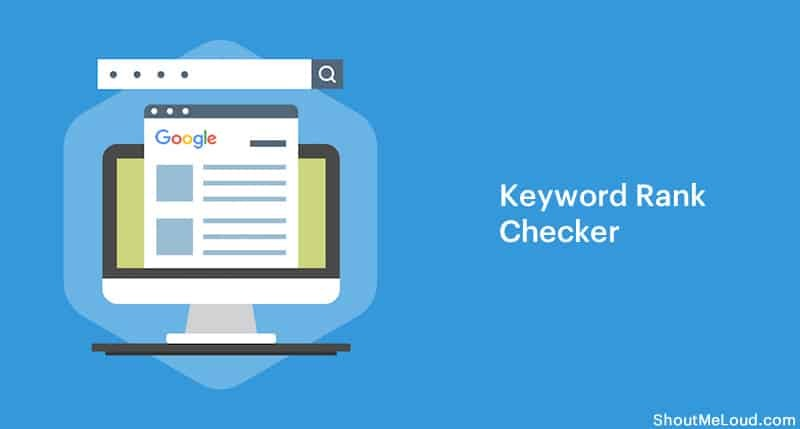
Tracking keyword rankings is essential for understanding your website’s search engine performance. It helps you know which keywords drive traffic and how your site compares to competitors. Monitoring keyword rankings also guides SEO strategies and content updates.

This guide explores five free tools that help you check your keyword rankings in Google. These tools provide accurate data, helping website owners, marketers, and bloggers optimize their content and improve visibility.
1. Google Search Console
Google Search Console is a free tool that shows your website’s performance on Google Search. It displays keyword rankings, impressions, clicks, and click-through rates (CTR). The Performance Report in Search Console lets you see which keywords bring traffic and how your site ranks for each.
To use Google Search Console, you need to verify your website ownership. Once verified, you can track keyword positions, analyze trends, and optimize content. It also provides insights into user queries, helping you understand what users search before visiting your site. Google Search Console is an essential tool for monitoring search performance and improving SEO.
In addition to keyword tracking, Google Search Console helps you identify technical issues affecting your website’s visibility. It alerts you to indexing problems, mobile usability issues, and security threats. Fixing these issues enhances user experience and boosts search rankings. This makes Google Search Console a comprehensive tool for website management.
2. Ubersuggest
Ubersuggest, created by Neil Patel, offers keyword tracking along with SEO insights. It shows keyword positions, search volume, and competition level. Ubersuggest also suggests related keywords to help you expand your content.
The tool is easy to use – enter your domain and target keywords, and it displays your current rankings. Ubersuggest’s free version provides valuable data for keyword optimization. It also shows top-performing pages, helping you understand which content resonates with users. This information helps you improve existing content and create new topics to boost visibility.
Ubersuggest also offers a site audit feature that checks for SEO issues, such as broken links and slow loading times. It provides actionable recommendations to enhance your website’s performance. This makes Ubersuggest a versatile tool for both keyword tracking and overall SEO improvement.
3. SERPWatcher by Mangools
SERPWatcher is a free keyword tracking tool from Mangools. It tracks keyword rankings, daily changes, and search volumes. The tool provides a performance index, showing the impact of keyword rankings on your site’s traffic.
With a simple interface, SERPWatcher lets you monitor multiple keywords and analyze ranking trends. It also provides historical data, helping you track keyword progress over time. The tool’s ranking overview shows the best-performing keywords and pages, helping you adjust your SEO strategy. SERPWatcher is useful for both beginners and experienced marketers looking to improve their search visibility.
SERPWatcher integrates with other Mangools tools, such as KWFinder and SERPChecker, for comprehensive keyword research and analysis. This combination allows users to find low-competition keywords and check their ranking potential. Using these tools together enhances your SEO approach, leading to better results.
4. Rank Tracker by SEO Powersuite
Rank Tracker is a powerful tool for checking keyword rankings on Google. It tracks keyword positions, search volumes, and competition levels. Rank Tracker also supports local SEO, allowing you to monitor rankings in specific locations.
The free version offers basic keyword tracking features, including ranking history and keyword analysis. It also suggests new keyword opportunities, helping you expand your content strategy. Rank Tracker’s customizable reports provide detailed insights, making it a valuable tool for SEO optimization and competitor analysis.
Rank Tracker’s local SEO feature is especially useful for businesses targeting customers in specific areas. It allows you to track keyword rankings by city or region, helping you optimize for local search intent. This helps businesses attract more local customers and improve visibility in local searches.
5. SEO Minion
SEO Minion is a free browser extension that checks keyword rankings directly from Google search results. It helps you see where your site ranks for specific keywords and compares your positions with competitors. SEO Minion also analyzes on-page SEO elements, such as meta tags and headings.
This tool is convenient for quick ranking checks without logging into complex dashboards. It helps you understand keyword performance, optimize content, and stay competitive. SEO Minion is suitable for bloggers, website owners, and marketers looking for a simple and effective way to track rankings.
In addition to keyword tracking, SEO Minion offers features like checking broken links and previewing SERP snippets. These extra functions help you improve your website’s user experience and optimize on-page SEO elements. This makes SEO Minion a handy tool for everyday SEO tasks.
Conclusion
Using free keyword ranking tools helps you monitor search performance, optimize content, and improve visibility on Google. By tracking keyword positions, search volumes, and competition, you can make data-driven decisions to enhance your SEO strategy. These five tools provide valuable insights without any cost, making them accessible to small businesses, bloggers, and digital marketers.
Combining multiple tools allows you to cross-check keyword rankings and get accurate insights. Regular monitoring and updating your SEO strategy based on data will help you maintain and improve your website’s search engine visibility.
FAQs
Are free keyword ranking tools accurate?
Free tools provide useful estimates, but they may not be 100% accurate. For precise data, use a combination of tools to cross-check rankings.
Can I track local keyword rankings?
Yes, tools like Rank Tracker support local SEO and allow you to monitor keyword positions in specific locations.
Do these tools show real-time rankings?
Most free tools update rankings daily or weekly. For real-time data, consider premium tools with live tracking features.
Which tool is best for beginners?
Google Search Console is ideal for beginners due to its detailed insights and easy integration with websites.
Can I track competitor keyword rankings with these tools?
Yes, tools like Ubersuggest and SERPWatcher allow you to check competitor keyword positions and compare performance.